Push-to-talk communication for managed field teams
Give drivers, guards, engineers, and site crews one button to reach the right team instantly. PTTHex runs on your own server, so you decide who can talk to whom, on which channel, from which device.
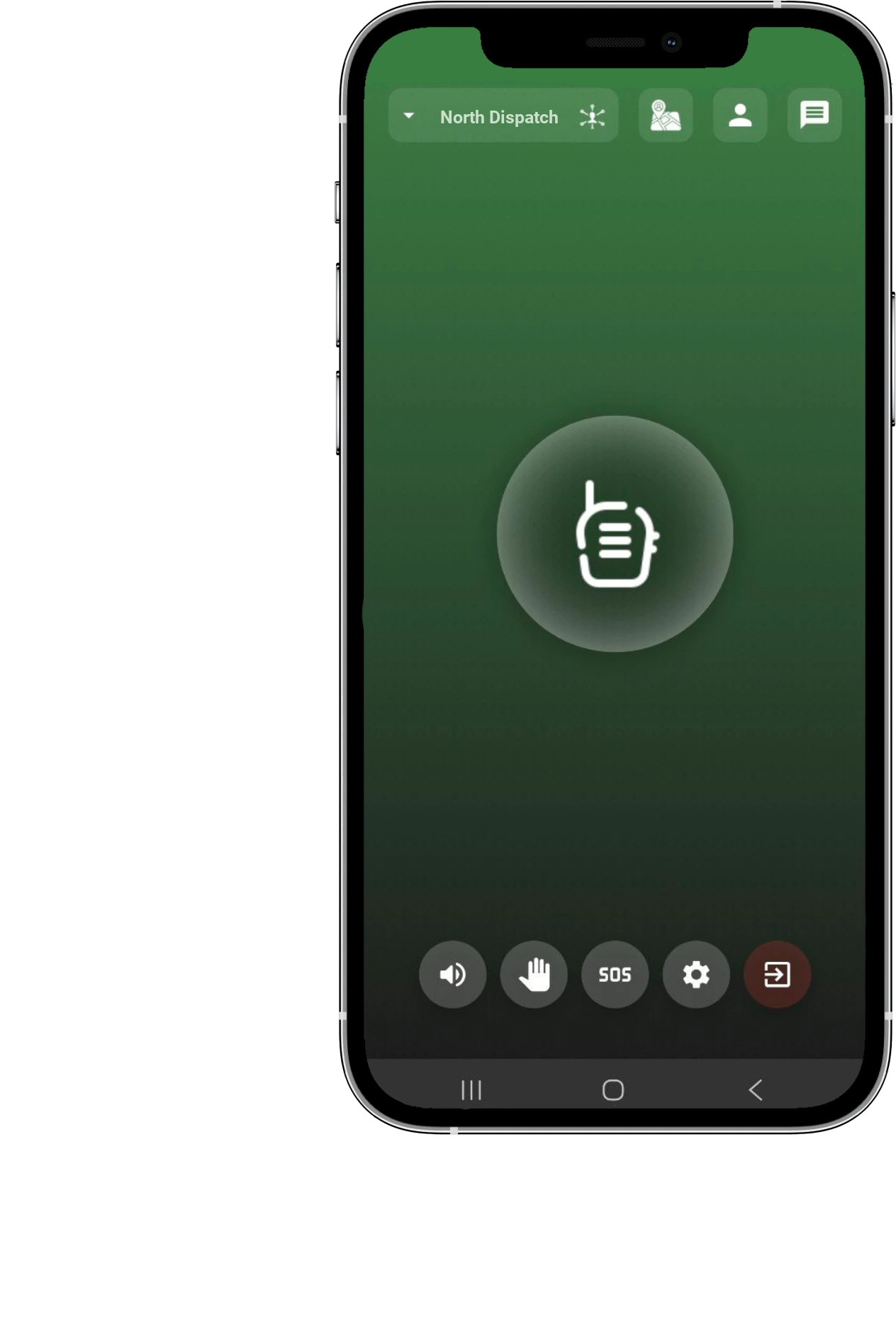
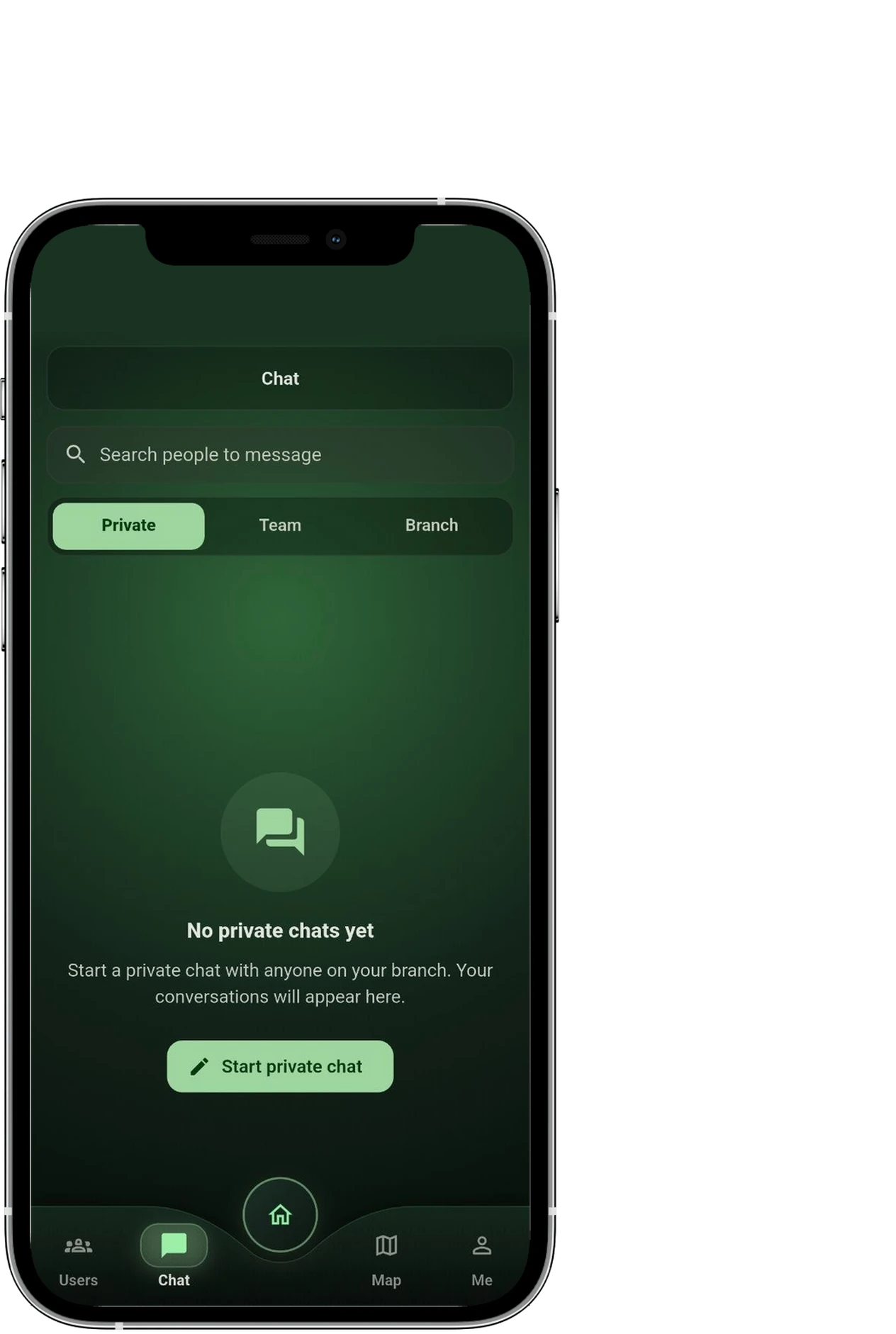
Radios cover a site. Phones do not scale. PTTHex does both.
PTTHex is a push-to-talk system for organisations whose people work away from a desk. One press reaches a whole team, a single branch, or one colleague, across a city or across every site you run, on the phones and devices your teams already carry.
Reach the right people in one press
No dialling, no waiting for someone to pick up. Speak once and the whole channel hears it, so a dispatcher can redirect a shift in seconds.
You stay in control of access
People, devices, and channels are approved by managers in your organisation before anyone can speak, so leavers and unknown handsets do not keep access.
It runs on your own server
PTTHex is deployed into your infrastructure, including its maps, so your operational conversations do not depend on an outside service.
Who uses PTTHex
Coordination-heavy teams whose people are spread across vehicles, sites, and shifts, and who need a record of who was given access to what.
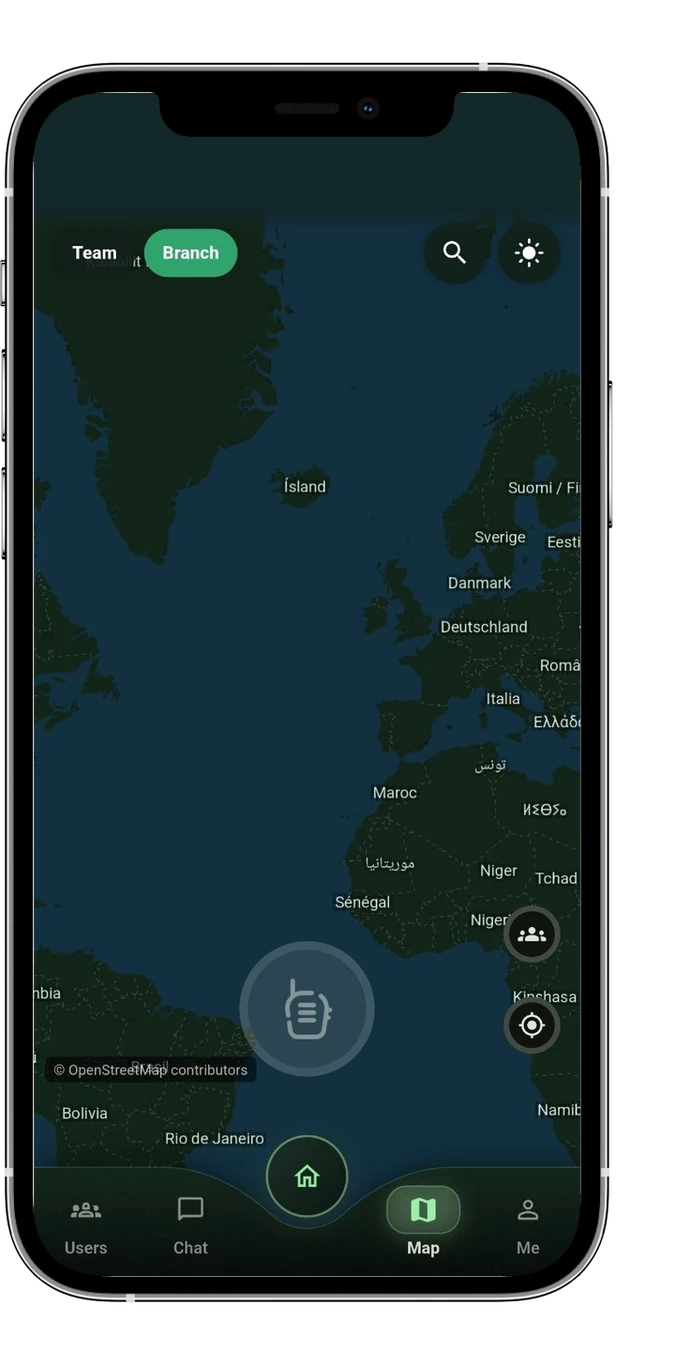

Everything a shift needs to stay coordinated
The Customer Panel manages users, devices, branches, departments, groups, channels, permissions, and operator workflows. The Client app gives approved field users push-to-talk voice, channel selection, notices, maps, SOS requests, hotkeys, prepared messages, and local settings on supported platforms.

Push-to-Talk Voice
Field users press, hold, and release to speak after the Customer Panel confirms the session, channel, device, and permission state.

Location Policy
Use map and location workflows only where customer policy, device permission, and rollout scope allow them.

Device Approval
Client registration can be submitted from the app, but access starts only after customer-side approval and policy checks.

Notices and Prepared Messages
Share approved notices and prepared messages so teams can send common operational updates without rebuilding the wording each time.

Channels and Groups
Structure communication by branch, department, group, channel, role, user, and device instead of one crowded conversation.

Operator Visibility
Give managers, dispatchers, auditors, and operators the visibility their role permits, including activity and status views where enabled.
Client app for field teams
Give approved users channel selection, press-hold-release PTT, notices, prepared messages, hotkeys, SOS request paths, and policy-led map context.
Customer Panel for managers and operators
Manage users, devices, branches, departments, groups, channels, roles, permissions, dispatch context, and rollout readiness.
Explore Customer PanelOne platform for the whole operation
Voice is only the start. PTTHex brings the tools a field operation actually uses into one connected system.
Push-to-talk voice
Press, hold, and release to speak on the channels a user belongs to, with emergency traffic given priority when it matters.
Live dispatch and map
See team presence and positions on a self-hosted map with zones and geofences, where policy and consent allow it.
Internal and external calls
Reach extensions inside the team or approved outside numbers, with policy checks before a call connects.
SOS and incidents
An emergency request follows a clear path from raised to acknowledged, escalated, and resolved, and is never quietly dropped.
Messaging and notices
Send direct and channel messages, prepared notices, and broadcasts, with emergency alerts that always come through.
Translation and captions
Built-in, self-hosted translation, captions, and transcription help mixed-language teams understand each other.
Runs on your own server, so your data stays yours
PTTHex is deployed on your own infrastructure. After go-live there is no outside service in the loop, so field communication and its data stay inside your environment.
See how it stays secureHow Customer Panel and Client app work together
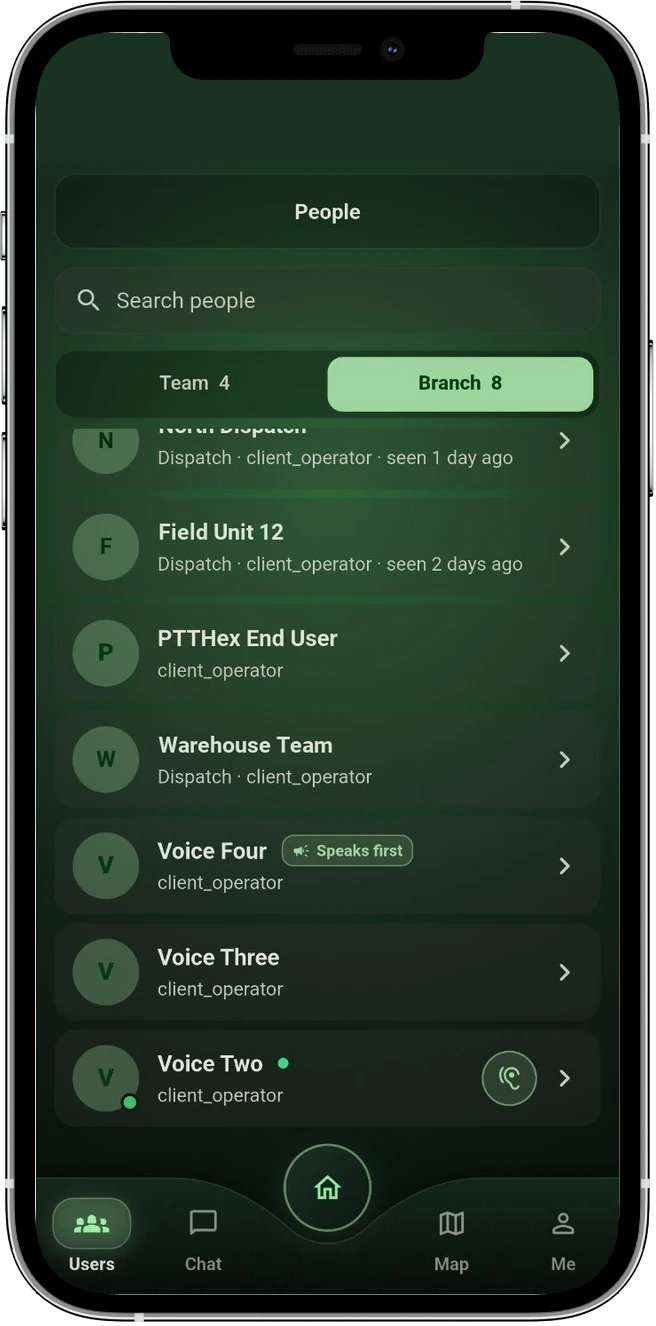
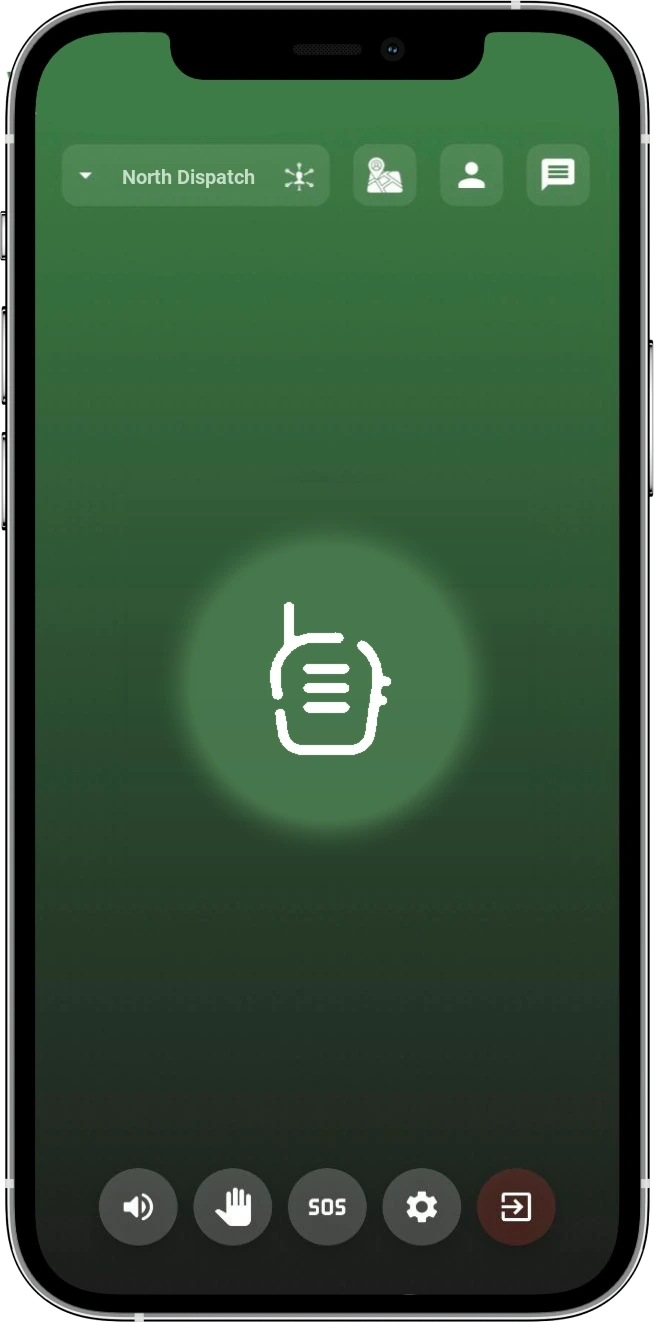
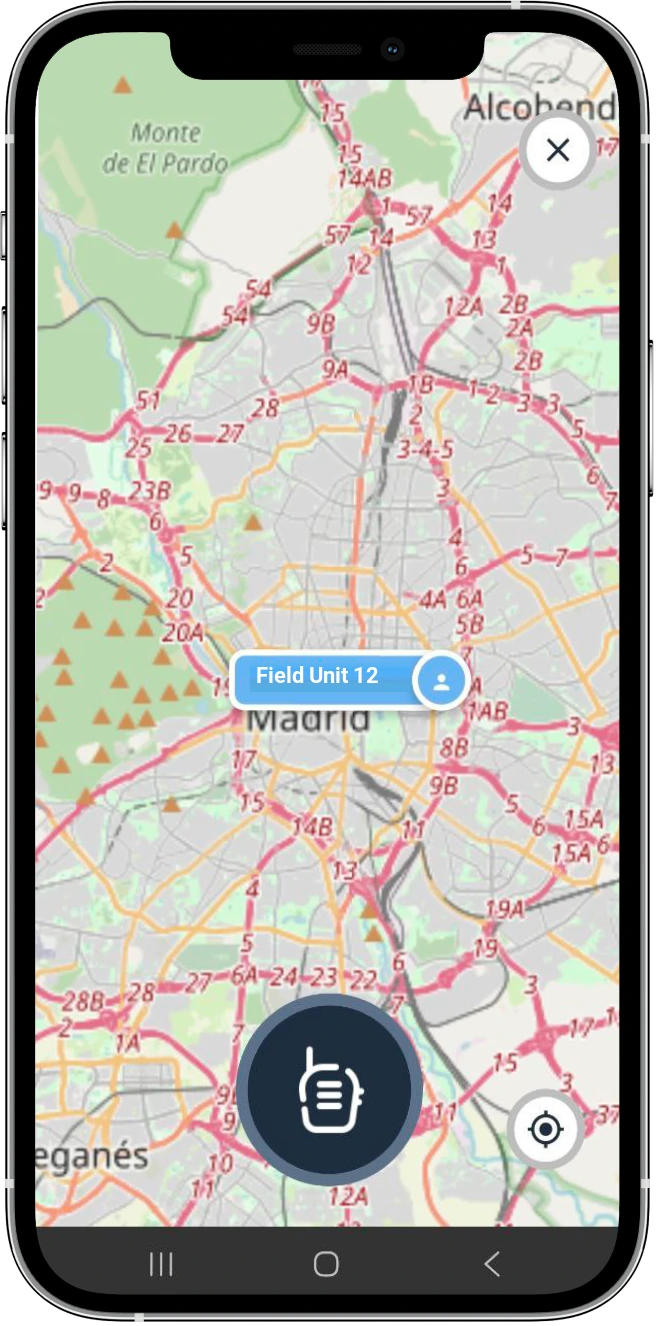
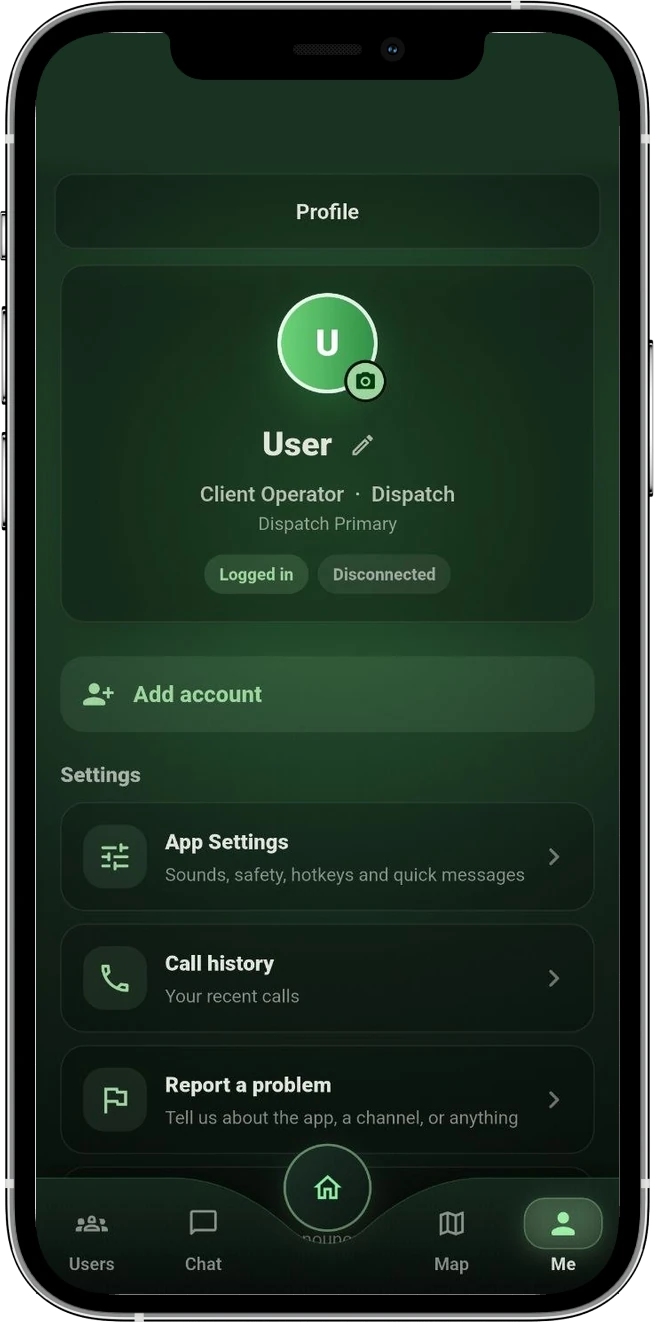
Step 1. Approve the user and device
Authorised managers in your organisation review users, devices, roles, and channel assignments before field users receive access.
Step 2. Select an approved channel
The Client app shows server-approved channels and requests permission before a voice session can start.
Step 3. Coordinate with policy
Voice, notices, map context, SOS requests, and retry behavior stay tied to the customer policy returned by the Customer Panel.
Step 4. Review and improve
Managers can review setup, access, activity, and support needs as the rollout grows from pilot to wider operations.
The same channels on the desktop app
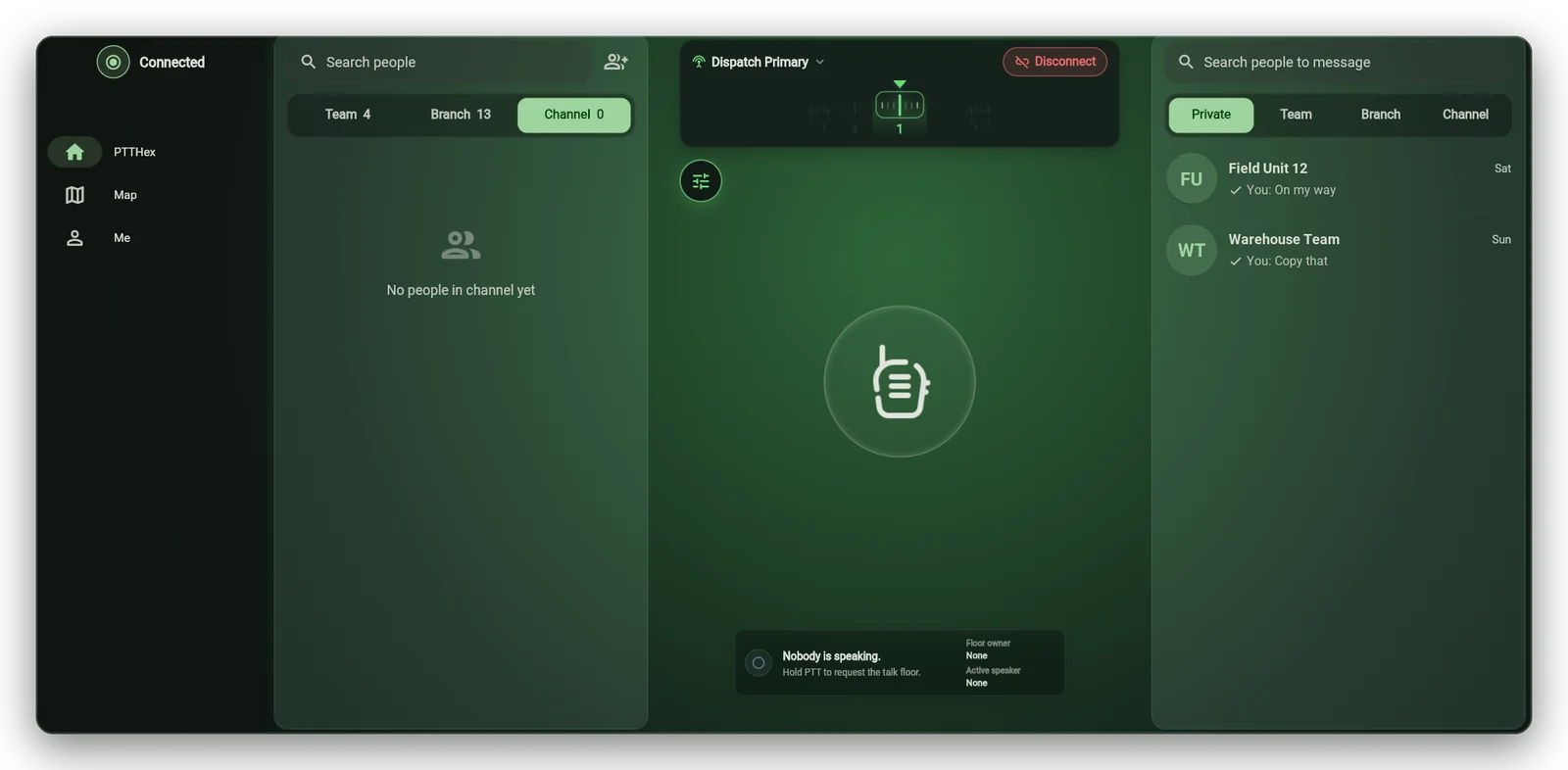
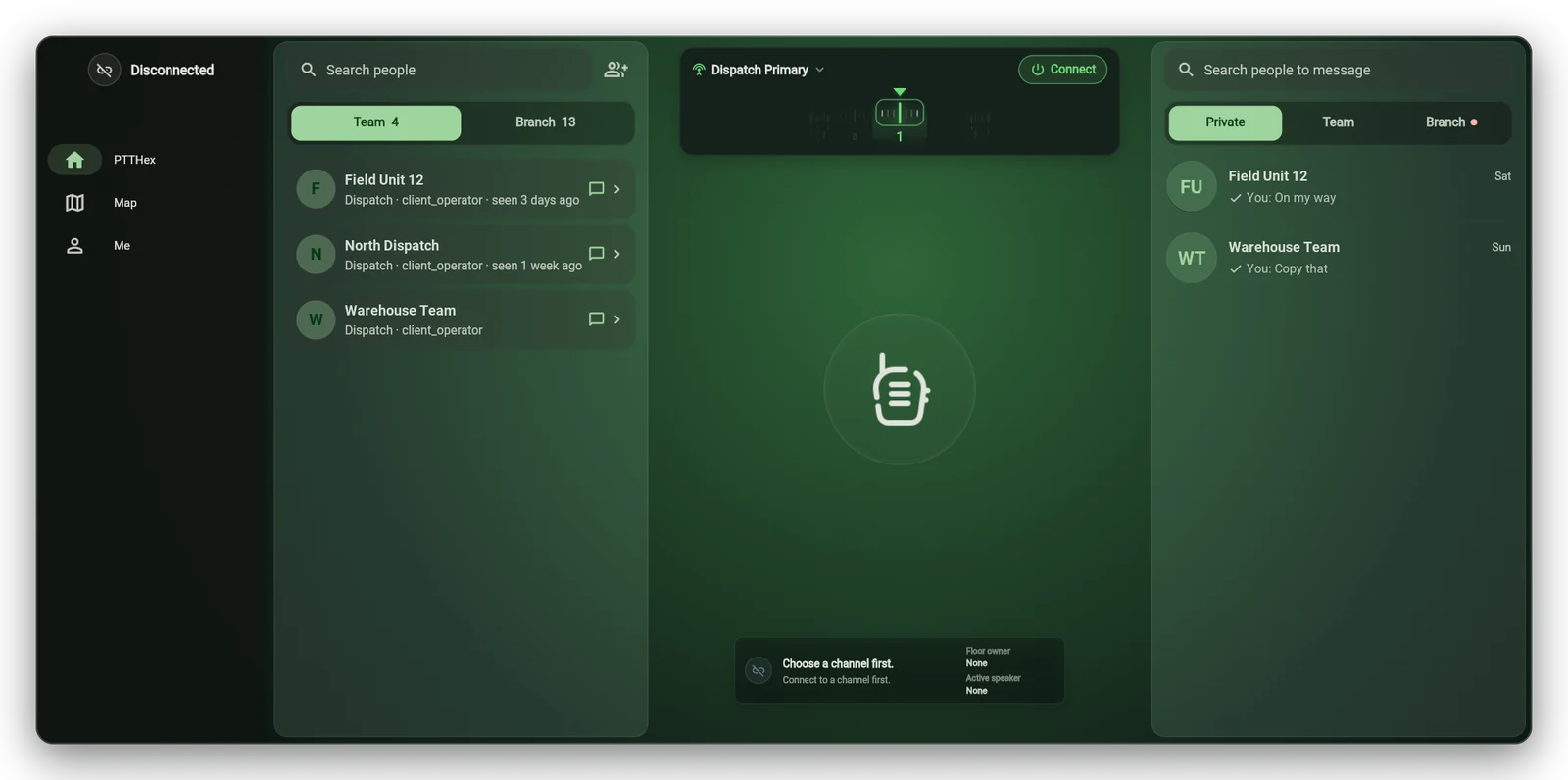
Operators who work from a desk run PTTHex in a desktop window instead of on a handset. The channel, the people it covers, and the private, team, and branch threads stay on one screen, and every action still follows the permissions the Customer Panel returned.
People you are allowed to reach
Team and branch lists come from the Customer Panel, so an operator only sees the people their role covers.
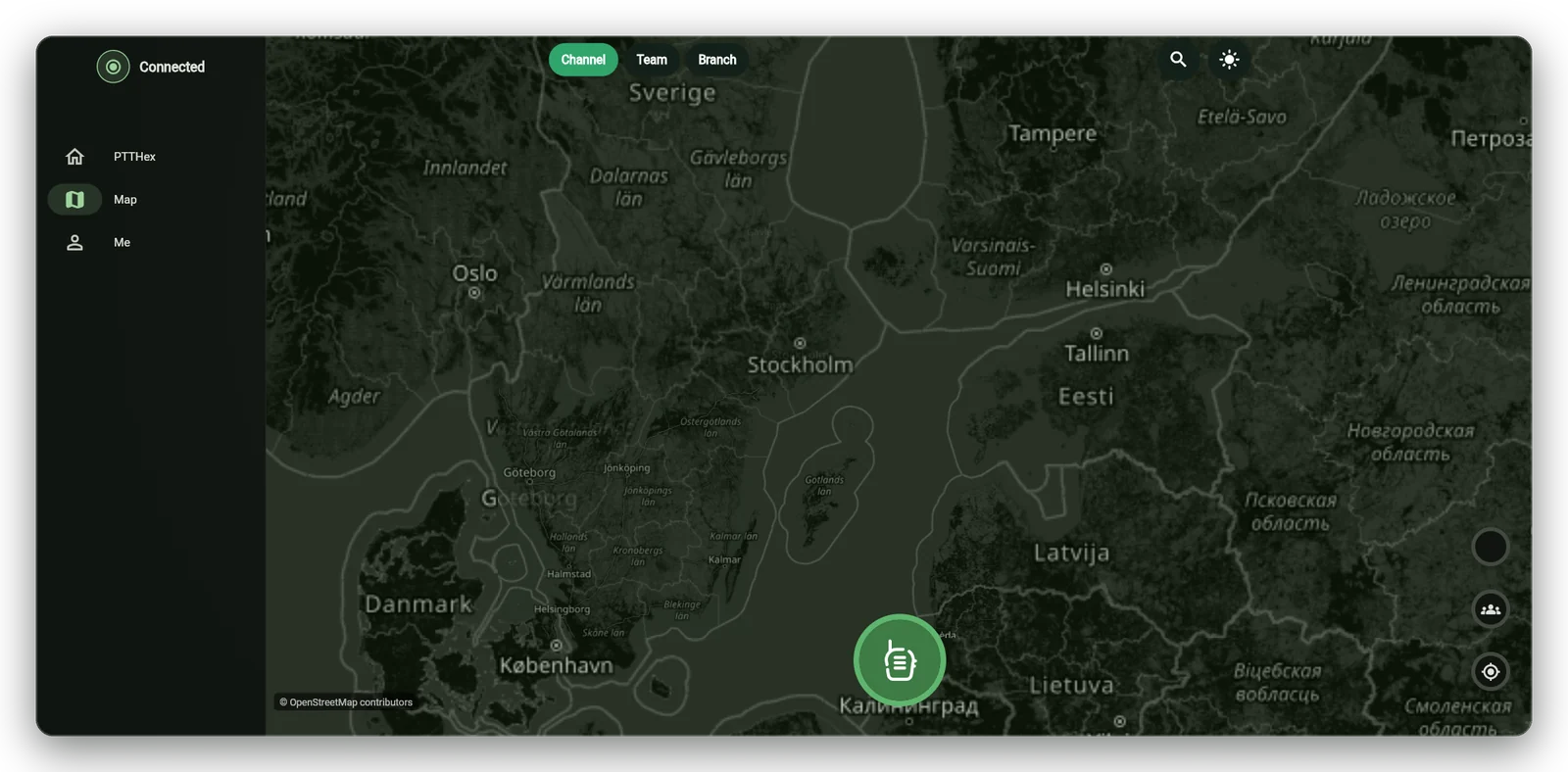
Map context on the wider screen
The map runs on self hosted tiles and opens only where customer policy and device permission allow it.
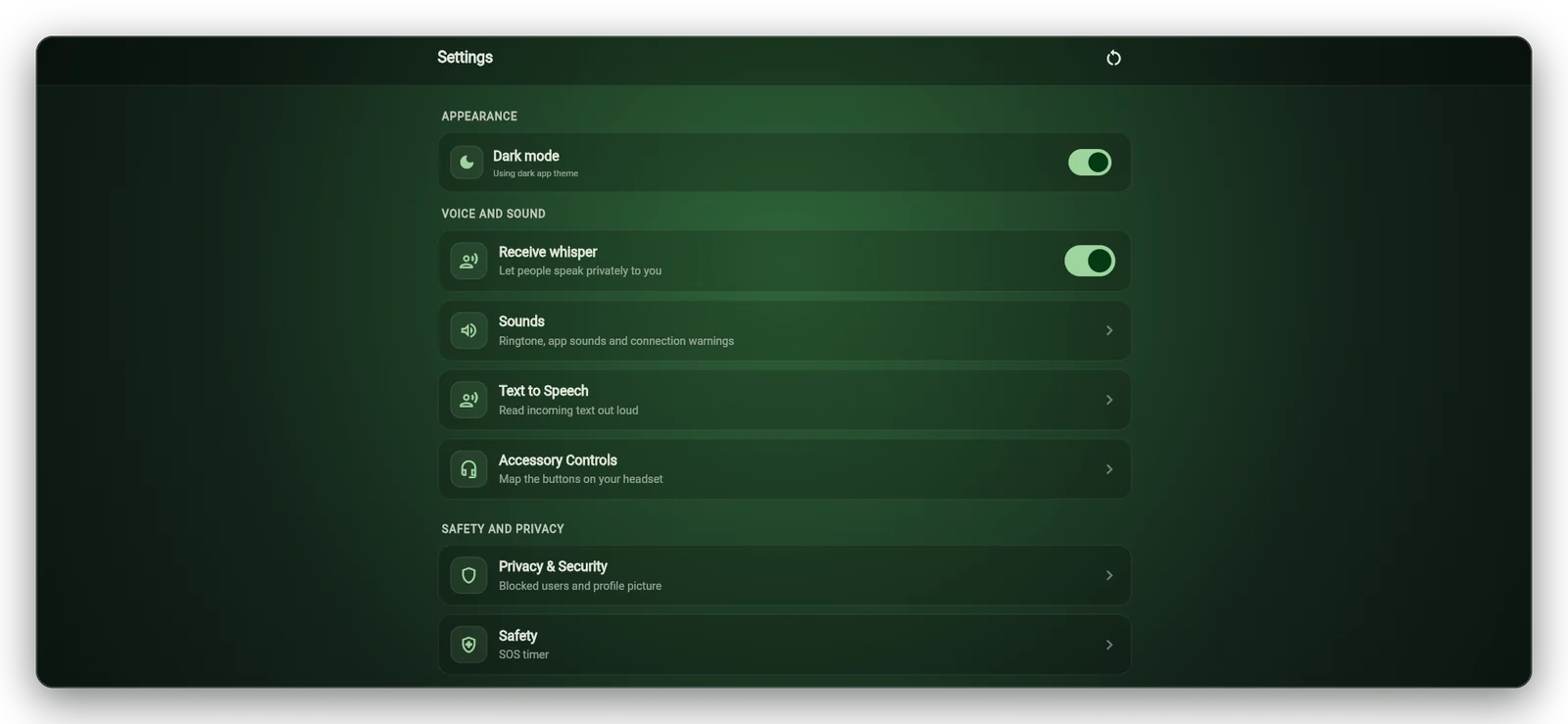
Local settings that stay local
Sound, whisper, headset buttons, and safety options are set per device and never change what the server allows.
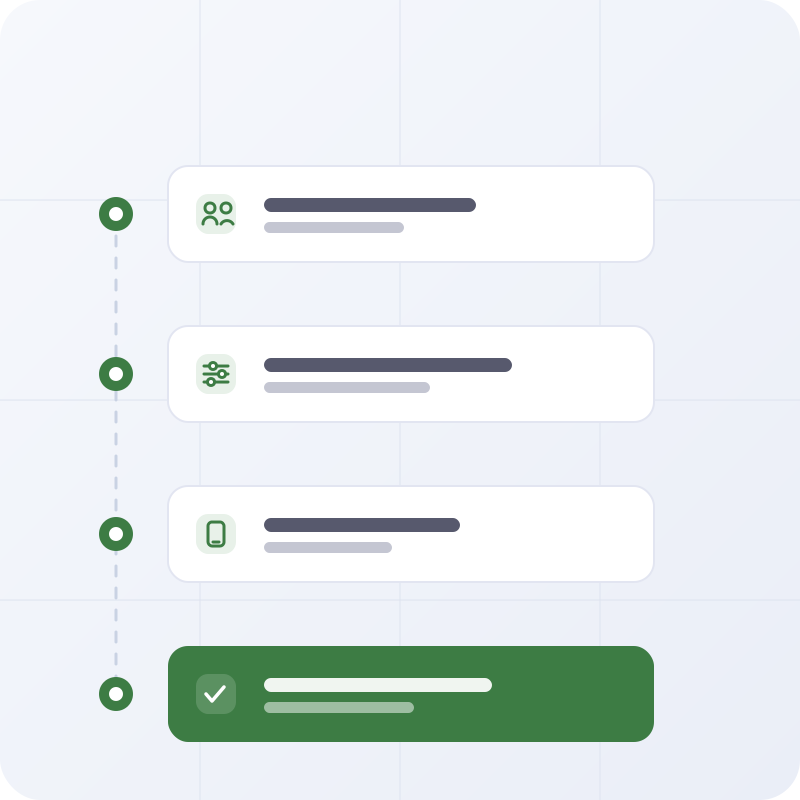
Deployment support from pilot to rollout
- Review teams, roles, and sites
- Configure users, devices, channels, and access
- Prepare devices and onboarding
- Plan support for wider rollout
Ready to discuss your team setup?
Tell us how your teams communicate today and what needs to improve first.
PTTHex is a push-to-talk communication and field coordination platform with a Customer Panel for managers and operators and a Client app for approved field users.
PTTHex supports operations, logistics, facilities, security, field service, events, and other teams that coordinate work across sites, shifts, or mobile staff.
Start with your team structure, device mix, sites, and communication priorities. The Services page explains how PTTHex can support planning, onboarding, and implementation.
Yes, PTTHex can be planned around existing operating routines, teams, roles, and integration needs where they are technically and commercially approved.
PTTHex keeps access tied to users, devices, roles, channels, and customer policy. Location and monitoring workflows are discussed only where the rollout and permissions support them. You can also review the Privacy Policy.
PTTHex is self-hosted. It runs on your own server, so after deployment there is no outside service in the loop and your communication data stays inside your environment. The Deployment and Security pages explain how.
Yes. Built-in, self-hosted translation, captions, and transcription help mixed-language teams understand each other. These run under your own policy, with consent, and raw audio is not kept.